
ASTAP fonctionne si on lui donne les bonnes coordonnées; PlateSolve2 le bat à plate(
 ) couture lorsque les coordonnées sont peu précises.
(pour mémoire je n'ai pas de goto)
Je vais vous trouver des exemples...
 ) couture lorsque les coordonnées sont peu précises.
en bref, que 0.005 devrait marcher dans la plupart des cas, que si le solver donne des solutions bizarres il convient de le baisser à 0.003 (il sera moins tolérant), et qu'on peut le monter à 0.007 si l'on a beaucoup de distortion optique (j'imagine qu'il parle de coma et autre courbure de champ, ou d'un champ très large qui va forcément donner un étirement façon "fish-eye")Tetrahedron tolerance: No need to change it. Leave this at 0.005 unless you have severe optical distortion. If you have false detections, set this lower at 0.003. If you have severe optical distortion or a low resolution image set this at 0.007
Conditions required for solving:
The internal astrometric solver works best with raw unstretched and sharp images of sufficient resolution where stars can be very faint. Heavily stretched, saturated, out-of-focus or photo shopped images are problematic. It requires minimum about 30 stars in the image to solve. Images containing of a few hundred stars stars are ideal. For star rich images, the program will reduce the detection limit to limit the number of stars. This will only work for unstretched images where brighter stars have a greater intensity then fainter stars. So ASTAP requires three star dimensions for solving. The star x, y coordinates and star intensity. Oval stars due to tracking errors or severe optical distortion will be ignored and solving could fail.
Check list for successful solving with ASTAP:
Estimated celestial center position of image should be entered/available in the viewer α and δ input or passed by the command line. For FITS file this is normally read from the FITS file header and set automatically. In case you view an an JPEG, TIFF image, double click on α input to search for a know deep sky object position from the database.
Field of view of the camera should be available. This is the height of the image in degrees. See ∑ window, tab alignment, group-box astrometric settings. For FITS images this is normally automatic calculated from the header.
Image height in pixels after ASTAP subsampling should be somewhere between 1000 and 3000. If it is higher set subsample at 2. If you specify 0 for subsampling, the program will select a subsampling factor automatically.
Search radius should be set large enough. See ∑ window, tab alignment, group-box astrometric settings. You could set this at 30° or larger up to 180°.
Stars in the image should be pretty round and camera in focus. You could verify the star detection by the CCD inspector or by the "test button to show tetrahedrons" in the ∑ window, tab alignment). Most stars should be detected.
As a minimum about 30 stars should be visible in the image. They can be very faint stars, barely visible in the noise.
For images filled with stars, only a few stars should be saturated. The total exposure time could be hours as long it is possible to separate the brightest stars from the faint by intensity.
For bayered images (OSC cameras) or large images use the factor 2 downsample option. See ∑ window, tab alignment, group-box astrometric settings. Save settings if modified (Viewer pull down menu, file, exit (and save settings). You could also try auto auto selection of binning equals 0.
If your image is full of hot pixels you could try the option "calibrate prior to solving". Select in the darks tab, a dark or darks with similar exposure duration as the lights you trying to solve. If your select several darks with different exposure length, check-mark the option classify, "Dark exposure time".
The maximum number of stars to use should be defined. Typical set at 500. See ∑ window, tab alignment. If your images has large dimensions and due to a long exposure time is full of tiny, stars you could try increase the maximum number of stars to 1000 or more. For short exposures this is not required.
Tetrahedron tolerance should be defined. Typical set at 0.005. If you expect optical distortion set it higher. See solver window, tab alignment. Solving of wide field images covering a field of 10 degrees or more will most likely fail.
For some failures you could force in ASTAP the option "force large search window" (-speed) for more reliable solving. The reliability will be very high but speed two or three times slower.
 coup d'oeil au réveil ...03h00

 Sharcap refuse obstinément de stacker avec les mêmes paramètres ou d'autres valeurs; j'ai juste pu récupérer cette horreur en 15x2,6s=39s gain 295
avec le réducteur x0,5 en 1.25" par-dessus le filtre IR-UV cut
Sharcap refuse obstinément de stacker avec les mêmes paramètres ou d'autres valeurs; j'ai juste pu récupérer cette horreur en 15x2,6s=39s gain 295
avec le réducteur x0,5 en 1.25" par-dessus le filtre IR-UV cut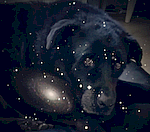
 les poses longues... longues.....je fais 2 stacks pendant une de ses poses )et @clouzot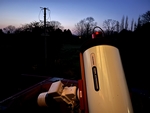

 Les images viendront plus tard pas grave çà augmente la réduction. Filtre IR-UV cut comme d'habitude. abandon Je finis par trouver exposition et gain ad hoc et je fais un dark qui me servira toute la soirée
 malgré sa magnitude 10 je galère un bon moment pour l'avoir dans le champ
 Doris )
 je vais revenir à celui que j'utilisais auparavant
 Je résiste encore un peu. pointé 4 fois à côté à moins de 30' j'ai abandonné avant de lancer tout le matos par la fenêtre
  . J'avais organisé une petite reunion perso sur Jitsi avec des copains "anciens" , non astronomes; j'ai pu pointer et stacker facilement quelques cibles, malheureusement le partage d'écran a souvent foiré ...problème de wifi ? M13 49x2,04s=100s
 le ciel était plus beau ailleurs
  c'est pas juste
 Je me suis fait le remote des autres scope assis se mon canapé , bon je n'étais pas aux manettes mais c’était déjà ça .